What Smarter Homes Learned About Ubiquiti at CEDIA 2026.
The Movie That Keeps Buffering
You've built a beautiful home theater with a stunning screen and incredible sound. You sit down, press play, and the movie starts buffering. Someone turned on the microwave, or the kids' tablets started downloading updates.
It happens in luxury homes all the time. Homeowners invest in architecture, audio, lighting, and security, then run all of it on an off-the-shelf router. It's like putting bicycle tires on a sports car. No matter how good the speakers, screens, or lights are, the experience falls apart if the data can't reach them reliably.
At CEDIA Expo 2026 in Denver, our Smarter Homes team spent a lot of time at Ubiquiti's booth. The message there was simple, and it's one we agree with: a smart home is only as reliable as the network underneath it. Here's what we saw and what it means for homeowners, architects, and builders.
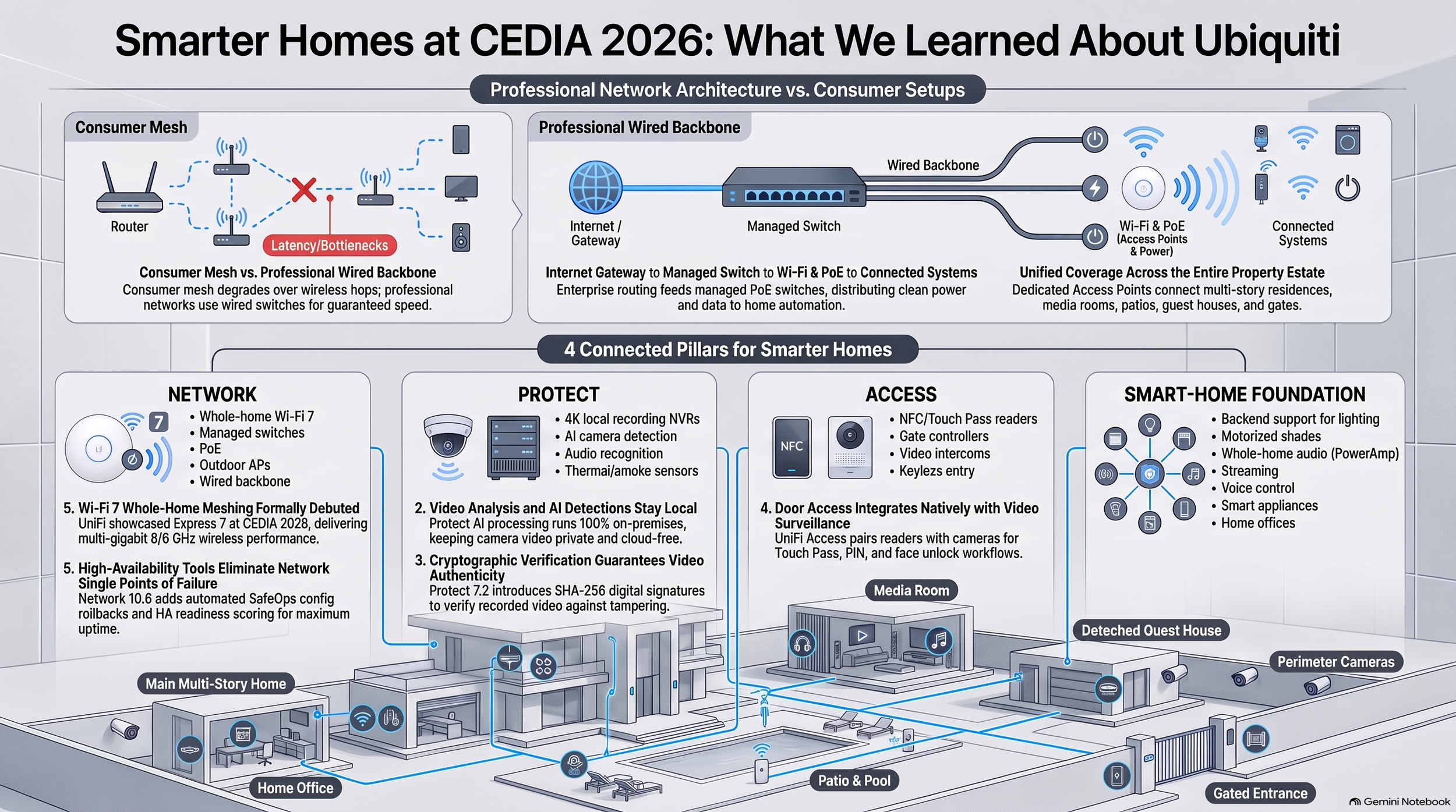
Why a Store-Bought Mesh System Isn't Enough
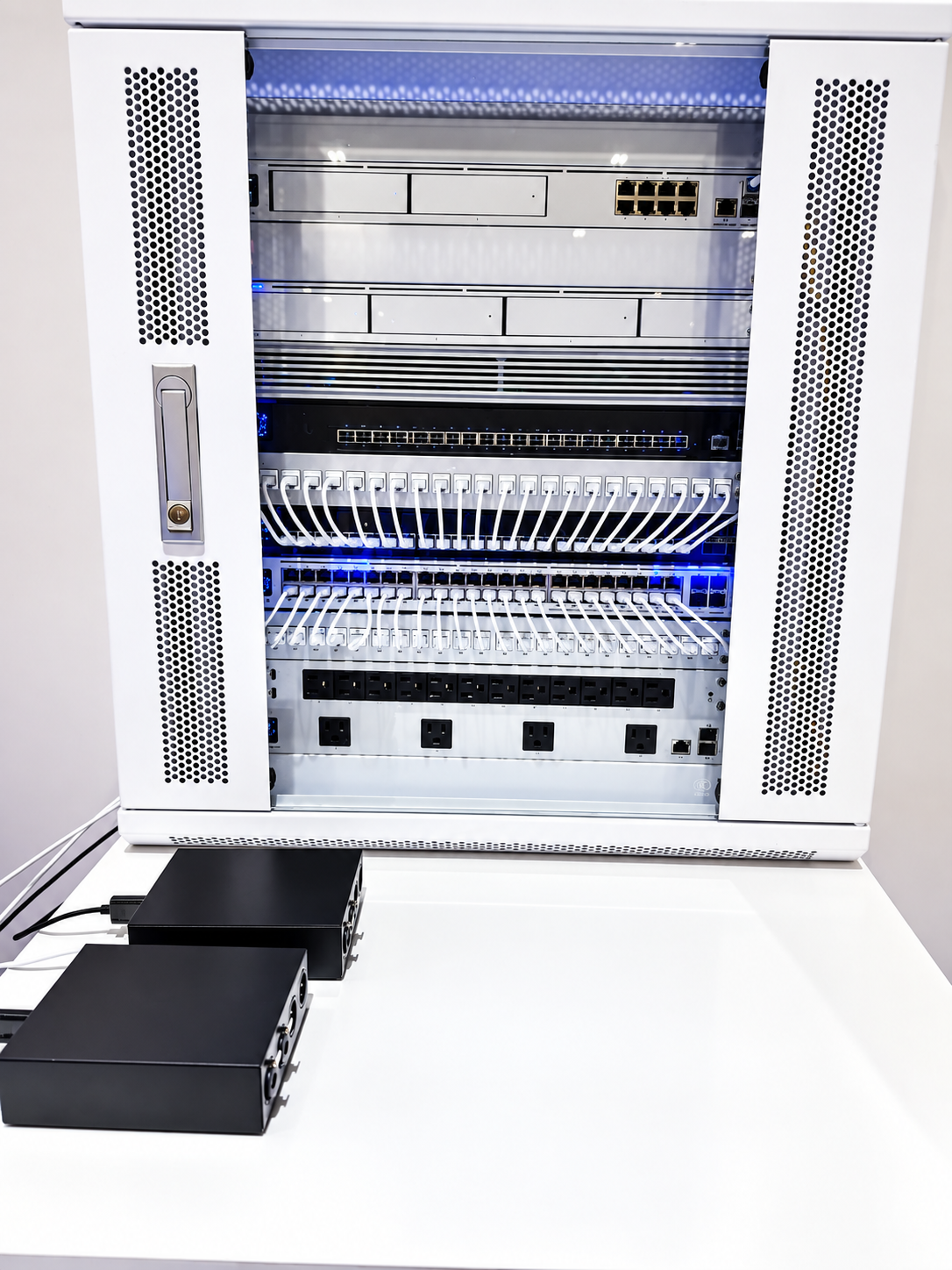
Ubiquiti didn't hide its equipment at CEDIA. It put organized equipment racks front and center, along with newer gear like the Dream Router 7 and its Cloud Gateway line. The idea is that the network is the home's central nervous system, living in a dedicated equipment room.
You can buy a consumer mesh kit with "Wi-Fi 7" on the box. So what's different about a professional system? It comes down to how luxury homes are built.
Consumer mesh systems pass the wireless signal from one unit to the next. High-end homes are full of materials that block wireless signals: thick concrete, steel beams, theater insulation, and even radiant heated floors, which act like a grid that traps signal between levels. In homes like these, every wireless hop loses strength.
A professional design avoids the problem with a wired backbone. Ethernet cable runs from the central rack to discreet access points in the ceilings. That one cable carries both data and power, so there are no cords hanging down. Because each access point is wired back to the rack, it spends all its effort serving your devices instead of relaying signal. You can walk from the kitchen to the primary suite on a video call without it dropping.
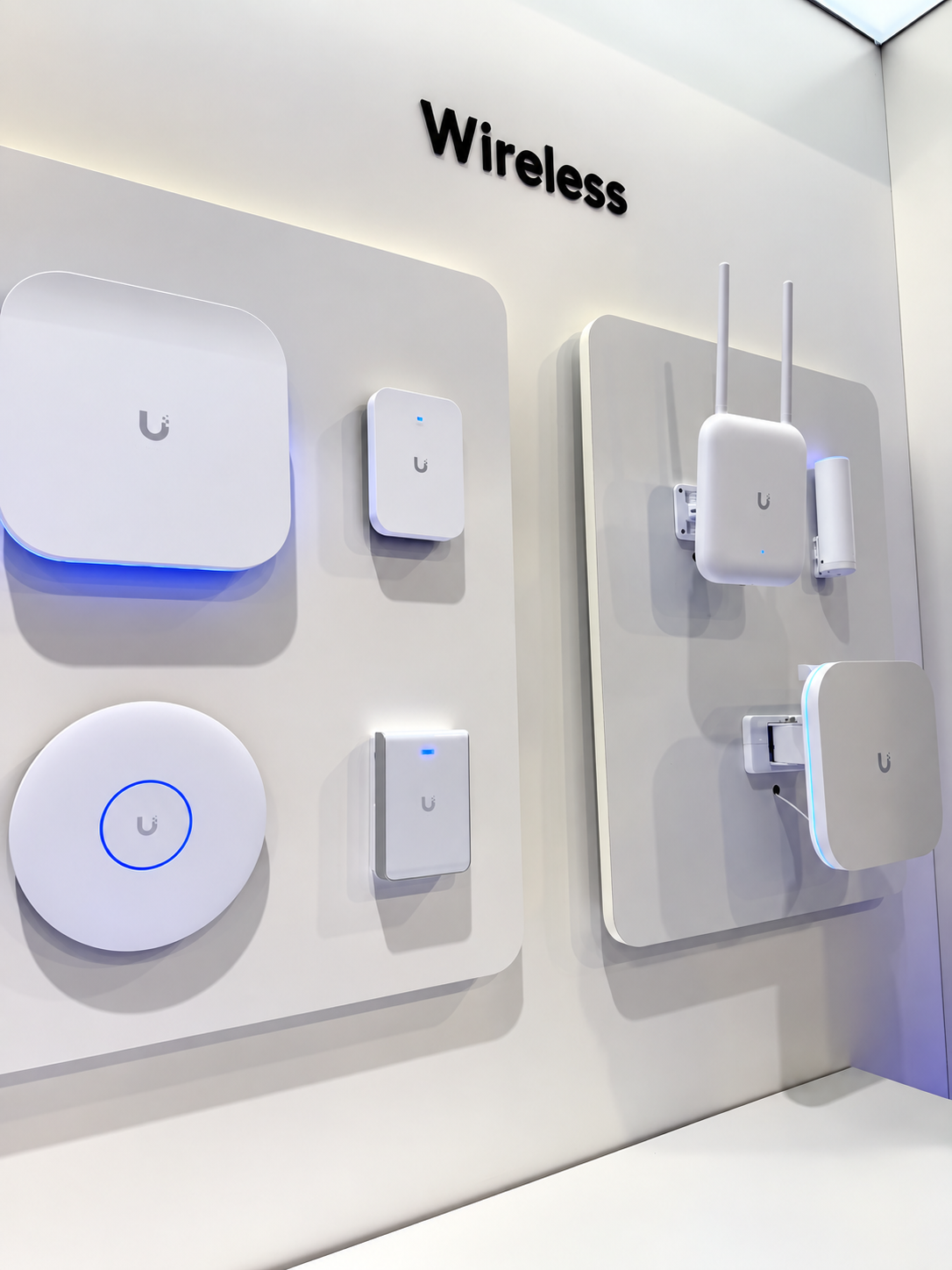
Ubiquiti's new Wi-Fi 7 lineup, including its Express 7 units, adds a feature called multi-link operation. In plain terms, your device can use more than one wireless lane at once, so if one lane gets crowded, the other keeps your stream or call moving. The result is wireless performance that feels much closer to a wired connection.
Smarter Tools Mean Faster, Safer Support
Two features in Ubiquiti's latest network software stood out because they directly improve the service homeowners receive.
SafeOps protects the home during remote changes. A well-designed network keeps different kinds of traffic in separate lanes: security cameras in one, audio in another, and inexpensive smart gadgets walled off from your personal computers. Adjusting those lanes remotely used to carry a risk. One mistake could knock the whole house offline until a technician drove out. SafeOps tests each change and automatically undoes it if something goes wrong.
Time Machine works like a DVR for the network. If you tell us the Wi-Fi in the guest room kept dropping at 9 p.m. last night, we don't have to guess. We can look back at exactly what happened at that moment and fix the real cause.
Beyond the Patio Door
On a large property, the network has to reach the pool, the detached garage, the guest house, and a front gate that might sit far down the driveway. Ubiquiti's outdoor Wi-Fi lineup was prominent at the booth, including the U7 Pro Outdoor and U7 Mesh.
These units are fully weatherproof, built to handle dust and heavy rain. Some also offer a directional antenna. Instead of spreading signal in every direction like a lantern, a directional antenna works like a flashlight, aiming coverage exactly where it's needed, such as straight down the driveway to the gate.
Music That Follows You Outside
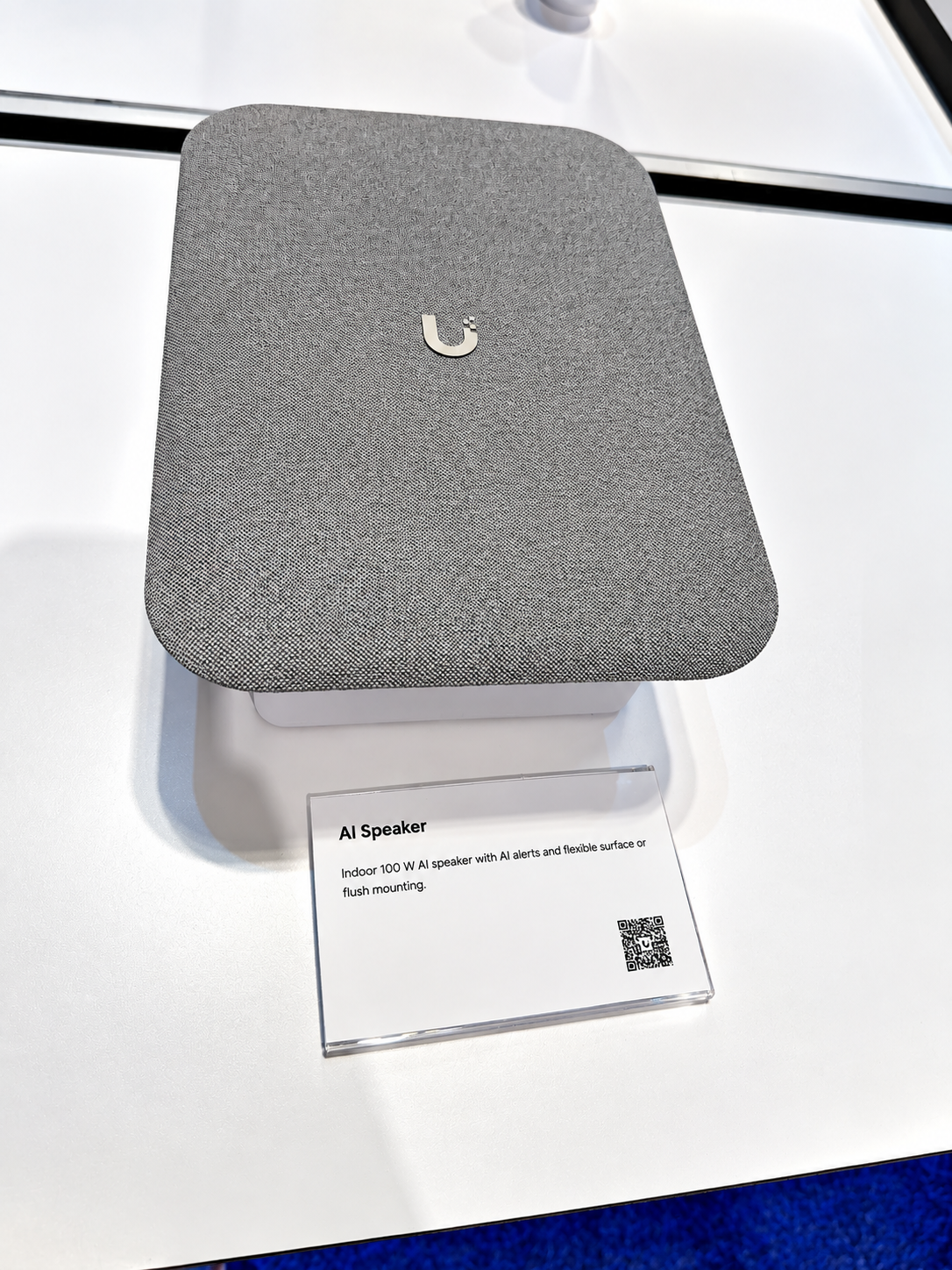
Ubiquiti also showed new audio products, including the UniFi Power Amp. Picture hosting a party and walking from the kitchen to the pool while the music stays perfectly in sync on every speaker, with no echo or stutter.
That only works when the network can deliver the same music to many speakers at exactly the same moment. Even a tiny delay between the kitchen and the patio creates an annoying echo. Ubiquiti's move into audio makes a point we see on every project: the network and the AV system are no longer separate. A strong network is what makes great whole-home audio possible.
Security Cameras That Keep Your Footage at Home
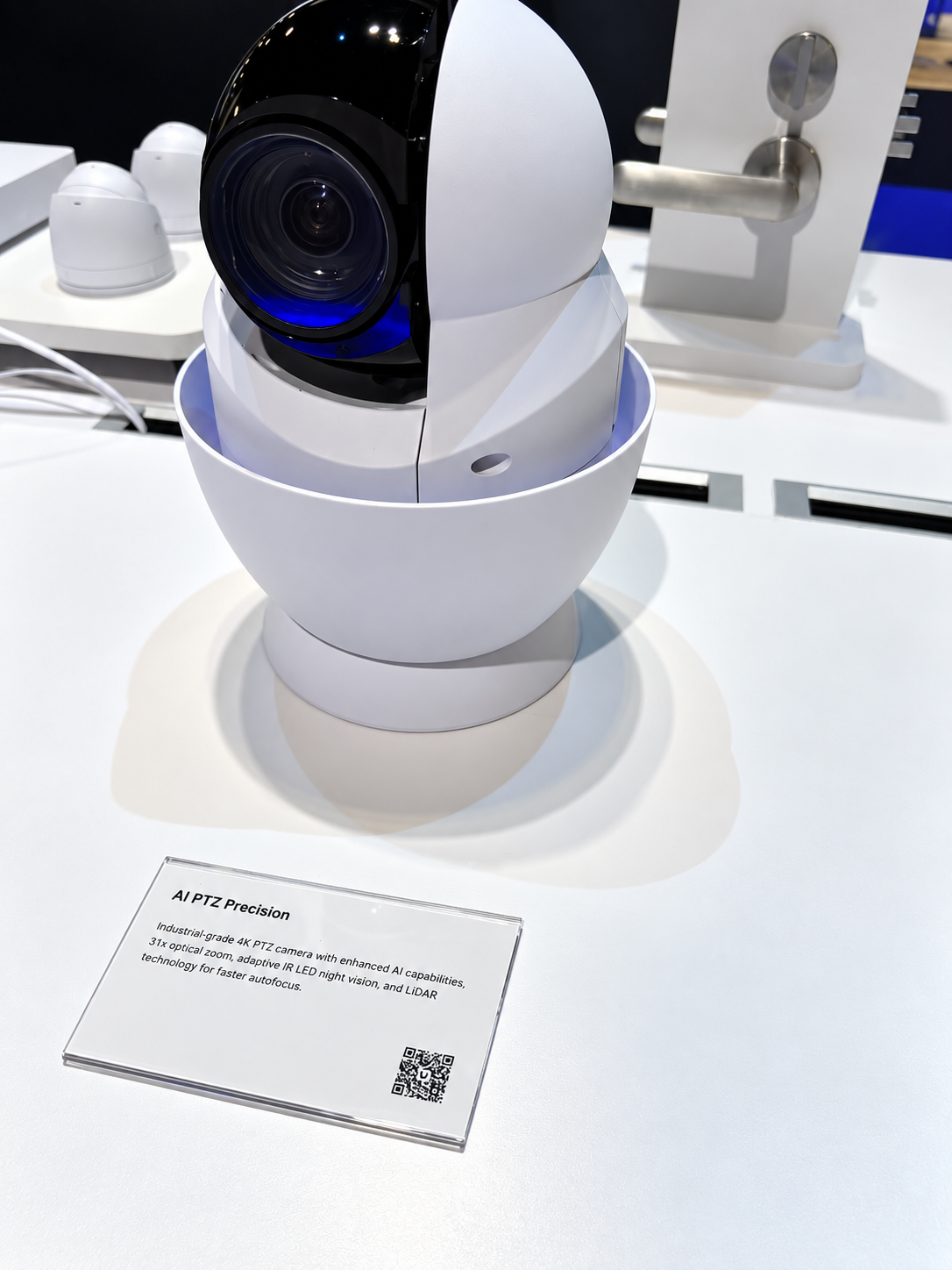
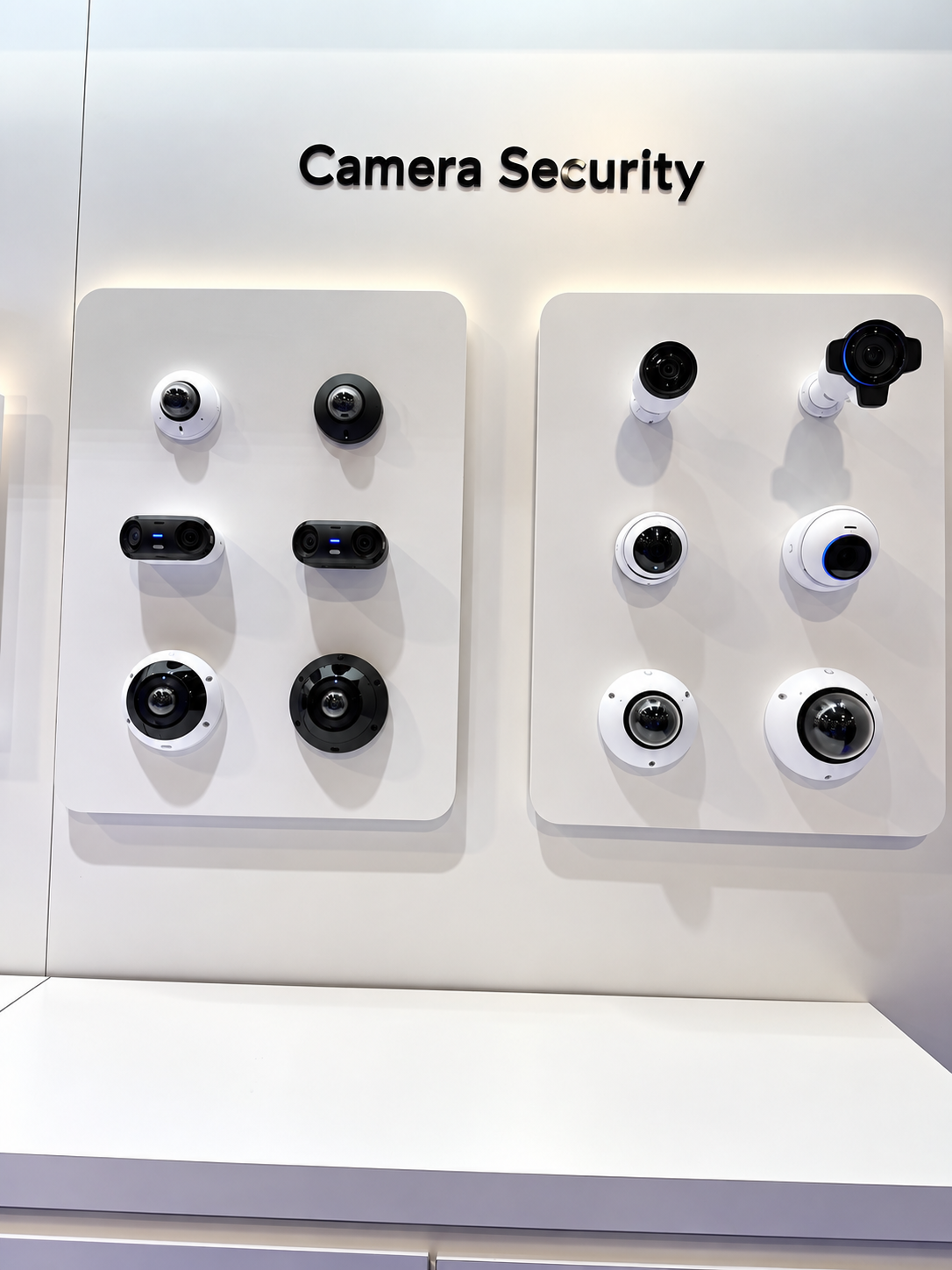
UniFi Protect cameras were a centerpiece of the booth. The multi-sensor cameras stood out for design-minded clients. They combine several lenses in one dome, so a great room or motor court can be covered from a single clean mounting point instead of a cluster of cameras on the ceiling.
The bigger story is where the smart features happen. Ubiquiti confirms that its AI features, such as recognizing faces, reading license plates, and detecting vehicles, run locally, inside your home, rather than in a cloud service.
That matters for three reasons:
Speed. Alerts don't have to travel to a distant server and back, so notifications arrive almost instantly.
Privacy. Footage of your family, guests, and routines stays on your property unless you choose to view it remotely.
Reliability. If your internet goes down, the cameras keep recording and the system keeps working.
Ubiquiti also showed a feature that tackles false alarms. When a camera isn't sure whether it's seeing a person or just a shadow or swaying branch, it hands the clip to a second, more capable AI check in the home before alerting you. If it's nothing, your phone stays quiet. When it does buzz, you can trust it.
Doors, Alarms, and Systems That Work Together
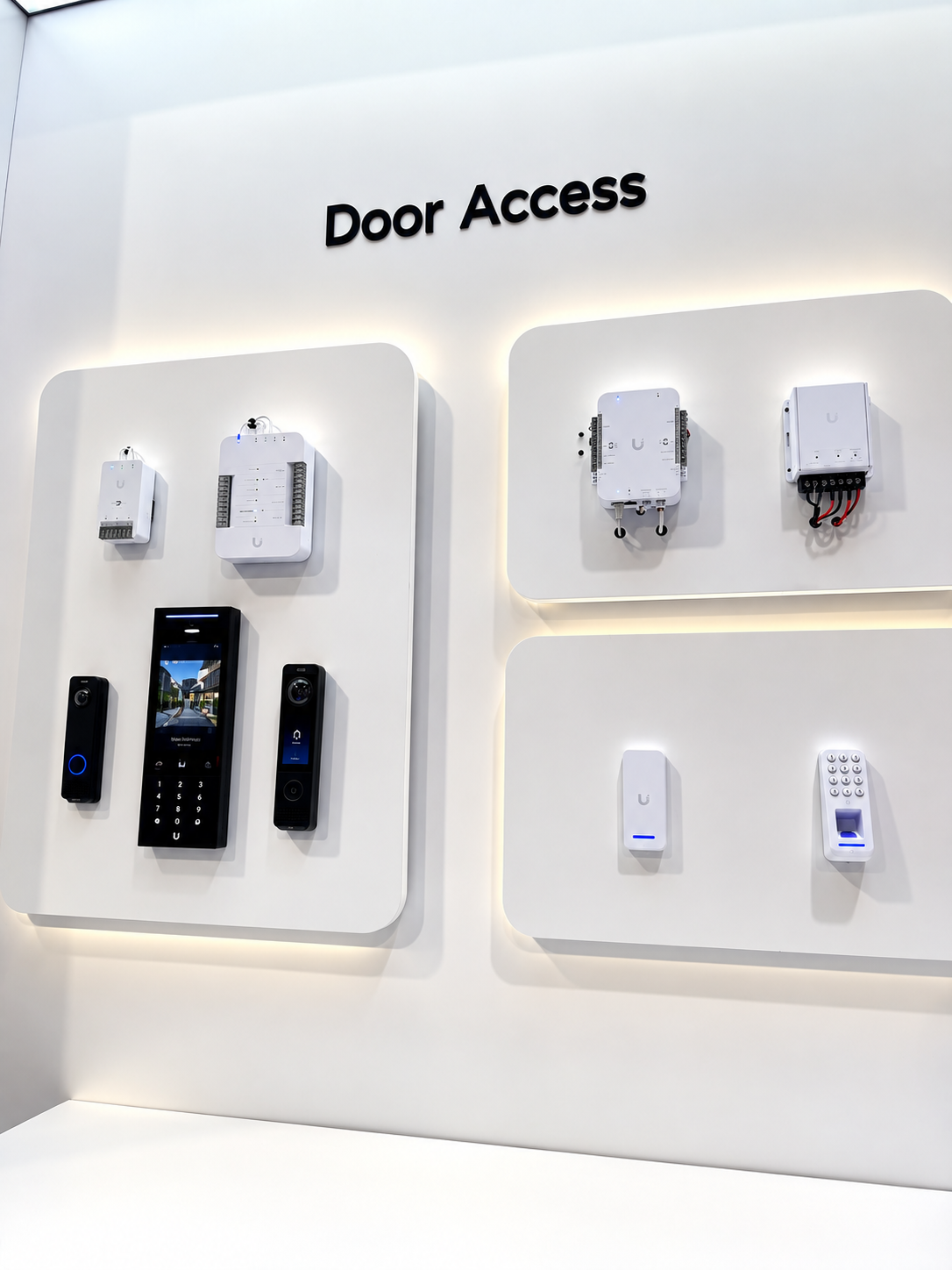
Ubiquiti's access products included the G6 Pro Entry, a doorbell-style station with a high-resolution camera, and Touch Pass, which lets you open a door or gate by tapping your phone or smartwatch with Apple or Google Wallet.
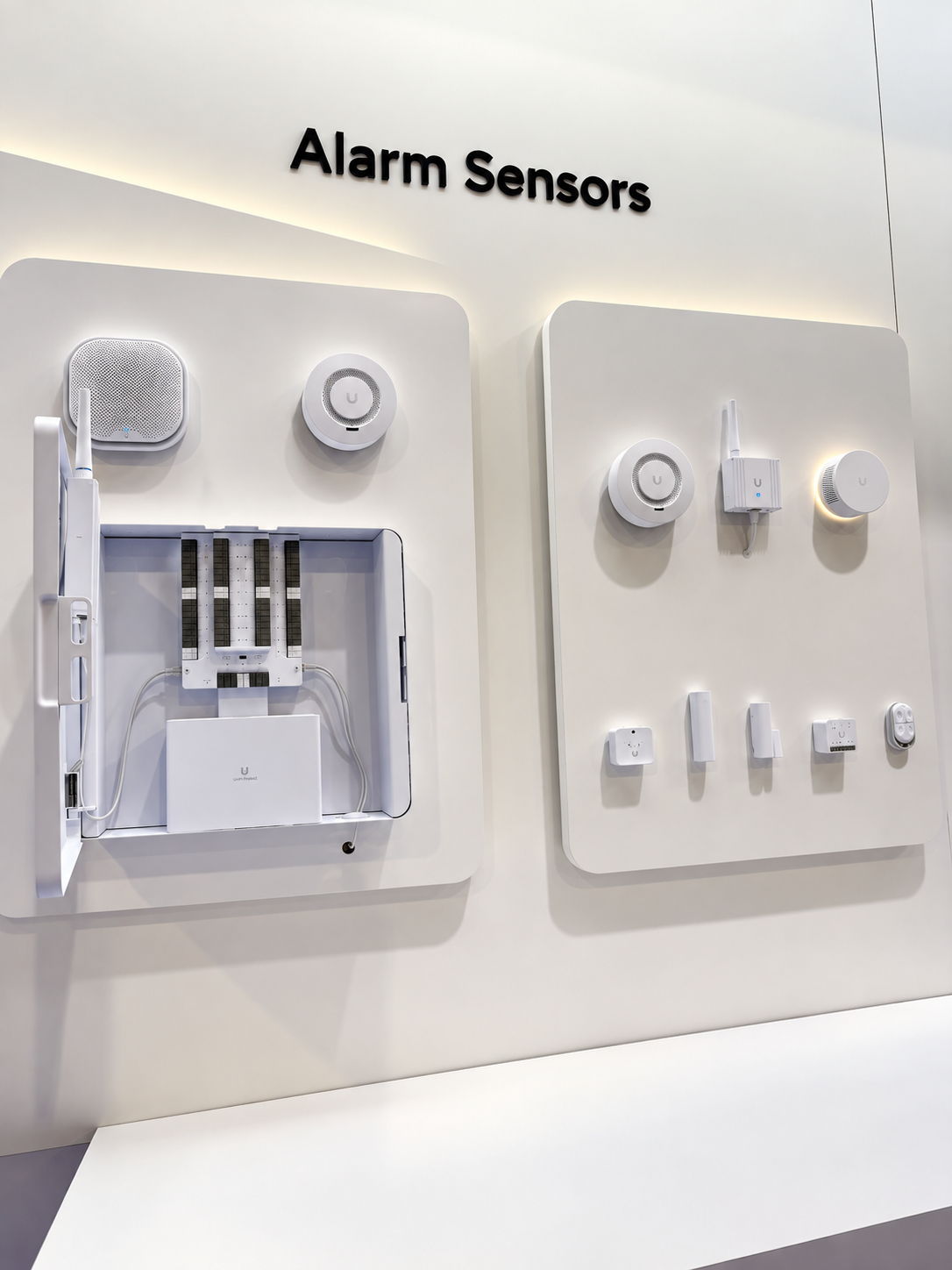
We also saw a new smoke and CO alarm with a long-life battery. It uses a long-range wireless connection designed to reach through concrete, stone, and multiple floors, so an alarm in a far corner of the property can always check in.
The real value comes when these pieces share one platform. Ubiquiti's Alarm Manager lets them react together. Imagine smoke is detected in the guest house at 3 a.m. The system can turn on the exterior lights, unlock the gate and doors for first responders, and send you an alert that opens the live camera view of the guest house. Each system helps the others.
Building in a Backup Plan
Putting Wi-Fi, cameras, door access, audio, and alarms on one platform raises a fair question: what happens if something fails?
Ubiquiti's newest software includes a readiness score that looks for weak spots. It might flag that a switch powering your security cameras isn't on battery backup, or that the home depends on a single internet provider. We can then add protections like battery backup and a second internet connection, such as fiber or cellular. If the main line goes down, the home switches to the backup without anyone noticing. Good design isn't just about connecting devices. It's about making sure one failure never takes down the house.
Why This Matters for Texas Homes
Central Texas homes put these lessons to the test.
Big properties need big coverage. Homes in Austin, Westlake, and the Hill Country often sit on generous lots with pools, outdoor kitchens, guest houses, and long driveways. Weatherproof outdoor access points and a wired backbone keep every corner connected.
Our building materials block Wi-Fi. Limestone, concrete, steel, and large expanses of glass look beautiful but are tough on wireless signals. A wired design with ceiling access points works with that architecture instead of fighting it.
We live outdoors. With warm weather much of the year, Texans expect music by the pool and reliable Wi-Fi on the patio, just as they do in the living room.
Storms and outages happen. Severe weather and grid concerns make battery backup, backup internet, and locally stored camera footage especially valuable. When the internet drops, a well-designed home keeps working.
Now is the time to plan it. With steady new construction and remodeling across the Austin area, the best time to run cable and design the equipment room is before the walls close.
Five Takeaways From CEDIA 2026
Wi-Fi 7 raises the bar. Paired with a wired backbone, it delivers stable, fast connections even in homes built with Wi-Fi-blocking materials.
Smart features are moving local. Camera AI runs inside the home for faster alerts, more privacy, and systems that keep working offline.
The network is the AV system. Whole-home audio, cameras, and access now run on the same foundation.
Support is safer and smarter. Tools like SafeOps and Time Machine mean fewer outages and faster fixes.
The outdoors is part of the plan. Weatherproof Wi-Fi and long-range sensors cover the whole property, not just the house.
The network is no longer just for web browsing. It's the infrastructure behind your home's comfort, entertainment, and safety.
-
Imagine pouring like $50,000 into a flawless, totally uncompressed 4K computer.
Right, the dream is better.
Exactly. So you sit down, you hit play, and the movie immediately starts buffering. And why? Because someone two rooms away just turned on the microwave, or you know, maybe the kids' iPads are suddenly downloading these huge updates.
It's infuriating, but honestly, that scenario is happening in luxury homes all the time.
It really is. People are building these incredibly sophisticated architectural masterpieces, and then they're they're trying to run the entire digital infrastructure off a basic off-the-shelf consumer mesh router,
which is-I mean-it's structurally equivalent to buying a Ferrari and putting it on bicycle tires.
Yeah, that's a great way to put it.
Because it just doesn't matter how premium the endpoint devices are, right? The speakers, the OLED screens, the lighting systems-if the data can't reach them instantly and reliably, the entire experience just falls apart.
Absolutely. Well, welcome to a highly customized deep dive. This one is specifically engineered for you, whether you're a homeowner, an architect, custom builder, or maybe a residential technology integrator trying to plan a high-end property.
Lots to cover today.
There is. So recently, Smarter Homes attended the CEDIA Expo 2026 in Denver, Colorado, and we spent a significant amount of time physically walking Ubiquity's massive booth 3732. It
was huge.
You really couldn't miss it.
No, you couldn't.
So our mission today is to take what Smarter Homes personally saw and learned on the show floor, cross-reference it with Ubiquiti's official technical releases, and figure out what it actually means for residential design.
And I think the core thesis we really need to establish right up front is that a smart home is strictly as reliable as the network underneath it.
Period.
Exactly. I mean, think about the traffic load in a modern luxury residence. We are way past basic web browsing here. Oh
yeah, way past.
We're talking about whole home high fidelity audio streams, intricate architectural lighting control, continuous 4K security video, and you know remote work setups that demand zero latency video conferencing. Right,
it's a massive amount of data.
It is, and all of that relies on a professionally designed wired and wireless foundation.
So let's look at what that foundation actually looks like now, based on what was on display at CEDIA. When you walked into the ubiquity space, they weren't hiding routers behind parted plants.
Not at all. It
was front and center. Yeah, they were
showcasing these massive, glowing equipment racks, beautifully organized patch panels, serious switches, and hardware like the new Dream Router Seven, the Cloud Gateway Fiber, and that fanless 10 gigabit Ethernet cloud gateway industrial,
right, which looks incredibly sleek. It
really does. It frames the network as the central nervous system of the house, living in a dedicated mechanical room.
Exactly, and the most significant shift they officially announced around CDM back in September 2026 is their whole home Wi-Fi by Unifi ecosystem. Okay,
the Wi-Fi 7 stuff.
Yeah, specifically leveraging the Wi-Fi 7 standard with the new Express 7 nodes.
Right, but I want to stop and you know push back on that for a second.
Sure, go for it.
Because if I'm a homeowner or even a builder, I can go to an electronics store right now and buy a very expensive top-of-the-line consumer mesh kit that says Wi-Fi 7 on the box.
You definitely can.
So, why is a professionally designed rack with hardwired access points functionally any different than just plugging in three of those consumer mesh towers around my house?
Well, it really comes down to the physical constraints of high-end residential architecture,
the actual building materials.
Yes, a consumer wireless mesh system relies on the wireless signal bouncing from one tower to the next to create coverage, right? But luxury homes are filled with materials that actively destroy radiofrequency.
Like what?
Think about thick concrete floors, steel I-beams, specialized acoustic insulation in theater rooms, or even radiant heated floors.
Oh wow! I didn't even think about heated floors.
Oh yeah, a radiant heated floor is essentially a giant grid of water pipes or wires. It basically acts like a literal Faraday cage, trapping and blocking the Wi-Fi signal between the
floor.
The house itself is actively fighting the network.
Precisely, the environment is just hostile to wireless hops. A professionally designed system bypasses that hostility by using a wired backhaul.
Right, running actual cables.
You run dedicated Ethernet cable from that central rack directly to access points strategically placed in the ceilings throughout the entire home.
And that Ethernet cable provides both the data connection and the electrical power, right? Power over Ethernet or PoE.
Exactly, PoE.
Which means no ugly power cores hanging down from the ceiling.
Right, clean esthetic, and because those access points are hardwired back to the main switch, they don't have to waste resources repeating wireless signals to each other. They just broadcast. So
it's much more efficient.
Way more efficient. It allows for seamless rowing, so if you're on a critical video call and you walk from the kitchen to the master suite, the network actively and gracefully hands your device off from one access point to the next
without dropping the call,
without a single dropped packet. Plus, Ubiquiti is officially leveraging something in Wi-Fi 7 called MLO or multi-link operation.
Oh, I saw that in their technical specs. They claim MLO provides what was it? Wired-like latency without the wires.
Yep, that's the claim.
But mechanically, how does that actually work?
Think of older Wi-Fi like driving on a single-lane highway. If a slow truck gets in front of you, you're stuck.
Right. You get buffering.
Experience latency. Multi-link operation allows your device to simultaneously connect to the access point across multiple frequency bands, say the five gigahertz and the six gigahertz bands, at the exact same time.
So it's like driving on two parallel highways simultaneously.
Exactly. If a packet of data gets delayed on one frequency because of interference, the duplicate packet on the other frequency has already arrived.
Oh, that's brilliant! The
result is near zero latency, which is essential for things like wireless virtual reality or high-end streaming.
That makes a ton of sense. But managing all of that traffic sounds incredibly complex for whoever is running the system.
It definitely can be.
At the booth, Smarter Homes spent time looking at the new Unifi Network 10.6 software, and two features stood out to me as absolute lifesavers for the integrators managing these homes: Safe Ops and Time Machine.
Oh yeah, those are huge.
Can we break down Safe Ops first? The materials say it uses test and confirm rollback protection for VLAN changes, but what exactly is a VLAN in a residential context, and why do we need to protect it?
Sure, a VLAN is a virtual local area network. Going back to our highway analogy, a VLAN allows an engineer to take a single physical network switch and carve it up into completely separate, walled-off digital highways.
Okay, so separating the traffic physically or virtually, I guess.
Exactly. You put your heavy cargo trucks, like the uncompressed 4K security cameras, on one VLAN. You put your sports cars, your low latency streaming audio, on another.
Makes sense.
And then you put your potentially vulnerable smart home gadgets, like a cheap smart plug you bought online, on a third, so they literally can't access your personal computers.
Okay, so keeping the traffic segmented so it doesn't collide or cause security risks.
Exactly, but reconfiguring those VLANs remotely is dangerous. If an integrator makes a mistake in the software, they could accidentally lock themselves out of the entire system.
Oh no! So they take down the house.
They take down the entire house's network until someone physically drives to the property to plug a laptop into the rack to fix it.
That sounds like a nightmare. It is.
SafeOps prevents that. When you push a new configuration, the system tests it. If the connection drops or fails, SafeOps automatically reverts the system back to the last working state.
Oh, so it just undoes the mistake.
It completely removes the risk of remote maintenance.
That is massive, and then there's the time machine feature, which acts like a DVR for network troubleshooting.
Yeah, that one is really cool.
Right. So if a homeowner says, "Hey, the internet in the guest bedroom kept dropping at 9 p.m. last night, the integrator doesn't have to guess or try to recreate the problem.
They just rewind.
Yeah, they could scroll back the time machine and see the exact historical performance of that specific port at that exact minute,
which turns troubleshooting from a frustrating guessing game into very precise diagnostics.
Okay, so if a wired backhaul solves the issue of interior walls, what happens when those walls disappear entirely?
Nothing outside.
Yeah, because in these luxury estates, the network doesn't stop at the patio door. You've got pool areas, detached garages, front gates that might be hundreds of feet down a long driveway.
It's a huge challenge.
At the CEDIA booth, the outdoor Wi-Fi lineup was very prominent. We saw the U7 Pro Outdoor, which has an IP67 weatherproofing rating, and the U7 Mesh.
Both really solid pieces of hardware.
But there was a really specific technical distinction made about the U7 outdoor. It has this directional super antenna. Why does that matter to say a landscape architect? It
matters because of how radio energy dissipates in open air. A typical indoor access point uses an omnidirectional antenna,
meaning it goes everywhere.
Right. It creates a bubble of coverage in all directions, but outdoors you don't have walls to bounce signals off of, and trying to push a bubble of Wi-Fi 300 feet to a boat dock requires an absurd amount of power.
It just fizzles out.
Basically, a directional antenna acts less like a lantern and more like a flashlight. It takes all that radio frequency energy and focuses it into a tight, highly targeted beam.
So instead of trying to cover the entire forest, you're just shooting a direct beam of internet straight down the driveway to the front gate.
Precisely, and it's built to IP67 standards, meaning it's completely protected against dust ingress and can withstand powerful water jets or you know heavy rain.
Right, it's truly weatherproof.
Exactly, it allows you to build out the estate's footprint without compromising performance.
And while we're talking about extending the network outdoors, that brings up the AV integration we saw. Ubiquity was showcasing the Unifi Power Amp and the PoE audio port.
Yeah, moving into the audio space. It
really hammered home a specific realization for me: You're hosting a party. You walk from the kitchen out to the pool, and the music playing through the architectural speakers follows you flawlessly,
perfectly seamless.
Yeah, there's no echo, no stuttering. It's perfectly synced. But how does the network actually keep all those different speakers perfectly in time? It
handles it through something called multicast traffic.
Okay, what does that mean?
Normally, a router sends a single package of data to a single device. That's unicast. But with whole home audio, the network has to send the exact same data packet to maybe 20 different audio amplifiers simultaneously,
and they all have to play it at the exact same millisecond.
Exactly.
Okay.
If the network switch isn't robust enough to handle that heavy multicast traffic, packets get delayed,
even slightly.
Even a five-millisecond delay between the kitchen speaker and the patio speaker creates this maddening echo effect.
Oh, that would drive me crazy.
Right. By integrating the power amp directly into the Unifi ecosystem, Ubiquiti is proving that the AV experience and the network experience aren't separate trades anymore. The network literally is the AV system.
That makes the stakes so much higher for getting the network right.
It really does.
Which leads us to the heaviest data load in the entire house. Nothing eats bandwidth quite like continuous video. Oh,
absolutely! 4K cameras are heavy.
At CD, the Unifi Protect camera displays were front and center. We saw things like the Network Video Recorder Instant Kit and these highly advanced AI multi sensor cameras. The
multi sensors are fantastic.
They really are. Those models are incredible because they combine multiple independent lenses into one single dome housing,
which solves a massive pain point for interior designers. Actually,
how so?
Historically, to get a 180 degree or 360 degree view of a large space like a massive great room or an expansive motor court, you had to mount three or four separate cameras on the ceiling.
Right, creating like a cluster of cameras,
and it looked cluttered and industrial. A multi-sensor camera physically stitches those multiple video feeds together internally, providing a seamless panoramic view from a single clean installation point.
That's so much better esthetically. But the real discussion at the booth wasn't just about the camera glass; it was about the official capabilities of the Protect 7.2 software and their AI integration.
Right, the brains behind the glass. Yeah,
Ubiquity officially confirms that their AI processing, so facial recognition, license plate reading, vehicle detection, it's happening entirely on premises,
entirely local.
Right, it's using the silicon built into the cameras themselves, or specialized local hardware like the AI port. But let me play the skeptic here for a minute. Sure. Isn't it just easier to use cloud-based security cameras? I mean, why should a homeowner care if their footage goes to a server as long as they get the notification on their phone?
It comes down to latency and absolute privacy.
Okay, break that down.
With a cloud camera, every time a motion event happens, that video file has to travel out of your house across the internet to a server farm somewhere, get processed by an algorithm, and then send a signal back to your phone.
That sounds like it takes a while. It
does. If your internet is slow, you get a massive delay. With on-premises edge AI, the camera itself is doing the math in real time. The notification is nearly instantaneous,
and the privacy aspect.
Well, in a luxury home, privacy is paramount. You are filming your family, your private guests, your routines.
Right. You don't want that on some random server.
Exactly. With a purely local system, that video data never leaves the physical boundaries of your property, unless you specifically authenticate and pull it up on your phone,
that's a huge relief.
And think about reliability. If the internet line to the house is completely severed, the cameras continue to record, the AI continues to track events, and the local NVR continues to store the footage. A cloud camera becomes a useless paperweight without the internet.
That is a massive distinction.
It
is. And speaking of the AI, there's a feature in Protect 7.2 called Second Stage AI Verification. This feels like a direct cure for alarm fatigue.
Oh, absolutely.
Because we all know that feeling of our phone buzzing at two a.m. and you wake up in a panic, only to look at the feed and realize the camera just thought a weaving tree branch was a person.
The worst.
How does this second stage process actually stop that?
It acts as a local filter. The initial AI on the camera edge looks for movement. If it sees something ambiguous, like a shadow moving across the driveway that sort of looks like a human silhouette, it tags it as a low confidence event. Okay,
so it's not sure,
right? And instead of immediately buzzing your phone and waking you up, it instantly passes that specific video clip to a more powerful secondary AI model running locally on the network.
Oh, I see.
That secondary model cross-checks the geometry and definitively says, "Nope, that's just a shadow. The event is dismissed, and your phone never buzzes.
That is so smart.
It drastically increases the trust a homeowner has in their security notifications. When it buzzes, you know it's real.
Okay, so we've got the wired foundation, the multi-gigabit Wi-Fi, the synced audio, and the local AI security. But seeing the perimeter is one thing; interacting with it is another.
Right, the access side.
Exactly, which brings us to the environmental automation and the Unifi access gear we saw. The door access displays showed off the new g6 Pro entry, which has a 12 megapixel camera built in, and the integration of touch pass supporting Apple and Google Wallet.
Super convenient.
Yeah, so you're just tapping your smartwatch to open the front gate, but they also showcased environmental sensors like a new smoke and CO alarm with a 10-year battery, it uses something called SuperLink technology for communication. What is SuperLink?
It's a low-frequency, long-range communication protocol. Wi-Fi operates at high frequencies, which you know carry a lot of data, but are easily blocked by walls.
Like we talked about earlier with the concrete,
exactly. Superlink operates on a lower frequency, which carries less data but can penetrate deep through concrete, stone, and multiple floors. Oh,
perfect for alarms.
Yes, it ensures that a life safety device like a smoke detector and a distant mechanical room can always communicate back to the main network, regardless of interference.
And when it communicates back, this is where the entire ecosystem seems to collapse into one unified experience. Because the true power here isn't just a smoke alarm beeping, right? It's what Ubiquiti calls the alarm manager.
Exactly, the alarm manager is the translation layer between all these different systems.
How so?
Because the smoke alarm, the security cameras, the lighting and the door access are all sharing the exact same digital foundation, they can trigger each other.
Give me a mechanical example of how that actually plays out in a house.
Okay, say the smoke and CO alarm detects smoke in the guest house at three a.m. It sends a signal via super link to the alarm manager.
Okay, the
manager automatically executes a pre-programmed cascade of events. It triggers the PoE switches to turn on all exterior floodlights.
Wow! It
sends a command to the access system to instantly unlock the front gates and exterior doors, so the fire department doesn't have to break them down.
That's amazing.
And it sends a critical push notification to the homeowner's phone that immediately pulls up the live camera feed from the guest house. The systems aren't isolated; they are reacting intelligently as a unified environment.
That is incredible, but I have to ask the obvious question here.
I think I know what's coming.
If we put our multi-gig Wi-Fi, our 4K security, our door locks, our audio, and our life safety smoke alarms all under one single unify umbrella, aren't we just building a massive single point of failure? If the central router goes down, does the house just die?
It's the most critical question an architect or integrator can ask, and it's exactly why enterprise-level failsafes are becoming mandatory in residential design.
So, how does Ubiquiti handle it?
In that network 10.6 software we talked about, Ubiquiti officially introduced the high availability readiness score. It physically maps out the entire network topology and actively hunts for single points of failure.
So it grades the network's resilience.
Exactly. It tells the integrator, hey, you have critical security cameras on this PoE switch, but that switch isn't plugged into an uninterruptible power supply. If the grid drops, you lose security.
Oh, that's incredibly useful.
Or it will flag that a home relies on a single cable provider for internet. It encourages the design of a failover system, like adding a secondary fiber line or a cellular backup connection.
So if the main line gets cut,
if the primary internet drops, the system seamlessly routes all traffic to the backup without the homeowner ever noticing. The goal of a professional design isn't just to connect devices; it's to engineer redundancies so that a single failure is basically invisible to the user.
It really does come all the way back to the foundation. You engineer the rock-solid base, you build in the redundancies, and the house stands strong.
Exactly.
Well, we've covered a massive amount of ground today, from the physics of wireless interference to local edge AI. So, if we have to distill what smarter homes actually took away from CDA 2026, let's wrap this up clearly.
Sounds good.
Here are the five biggest things we learned about Ubiquity. Number one, Wi-Fi seven is redefining residential capabilities with hardware like the Express Seven nodes and multi-link operation. We are finally seeing true multi-gigabit wired-like stability that can handle the complex interference of luxury home environments.
Definitely.
And number two, AI is moving fully local. Advanced processing like facial recognition and the second stage AI verification is executing entirely on premises. This gives homeowners instantaneous speed and total privacy without sacrificing smart capabilities.
Huge point.
Huge point. Number three, the network is absorbing standalone systems with the introduction of the power amp and PoE audio port. Things like high fidelity AV and multi sensor security are collapsing into a single unified network topology driven by multicast traffic.
And number four, management tools are becoming highly forgiving. Software features like Safe Ops for rollback protection and Time Machine for historical tracking mean that maintaining these massive digital estates is safer, and troubleshooting is based on data, not guesswork.
And finally, number five, outdoor integration is a primary focus, not an afterthought. With directional IP 67 rated access points and robust SuperLink environmental sensors, the technology infrastructure is built to cover the entire physical footprint of a property, no matter the scale,
it really represents a fundamental shift in residential architecture. The network is no longer just a utility for browsing the web; it is the critical infrastructure that powers the home's intelligence, comfort, and security.
Which leaves us with this final thought for you: as our homes evolve into sophisticated private data centers processing everything from the multicast packets of our audio to the geometric AI mapping of our TV. How long will it be before the digital engineering of your home network is considered more critical to your safety and comfort than the physical locks on your front doors?
